Welcome to Kalee Pro 👋
Here's how you get your subscription — 3 simple steps.
Step 1 / 3
Buy your subscription here
Pay once through our secure payment partner. One yearly payment — no auto-renewal, no surprise charges.
mada · Apple Pay · cards
Step 2 / 3
Get your code by email
Right after payment, we instantly email you a one-time activation code.
Check your inbox — and the spam folder
1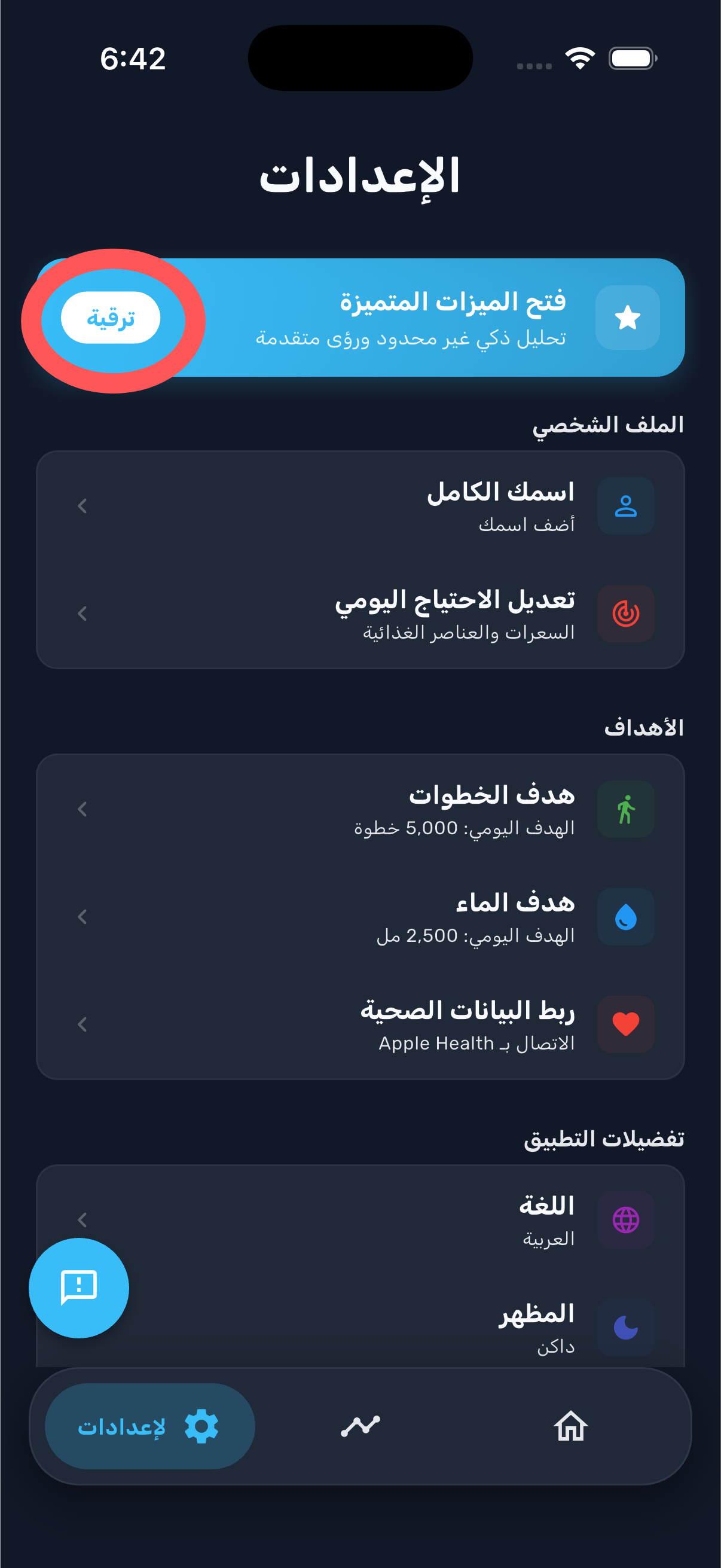
Open Settings and tap "Unlock premium"
You'll find the upgrade button at the top of the Settings screen.
2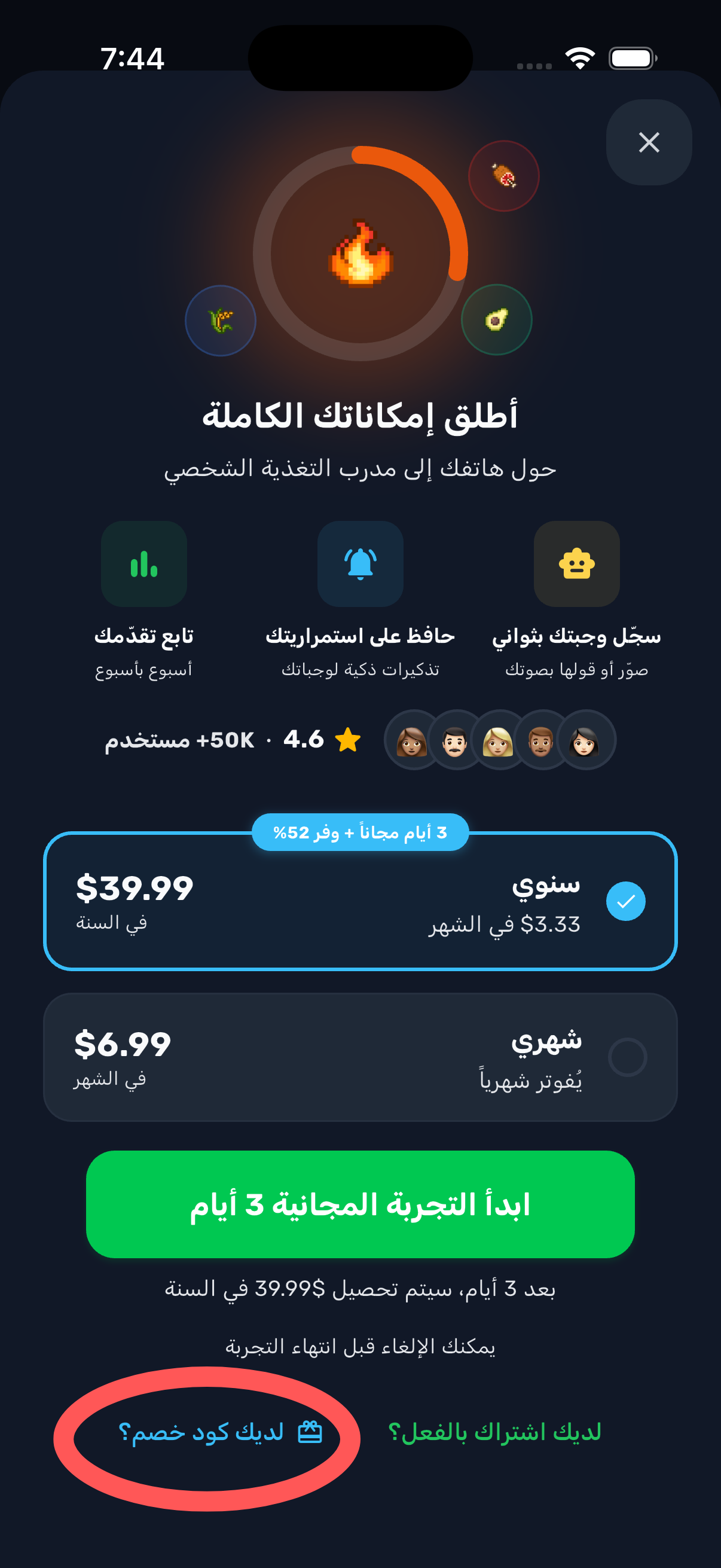
Tap "Have a discount code?"
It's near the bottom of the subscription page.
3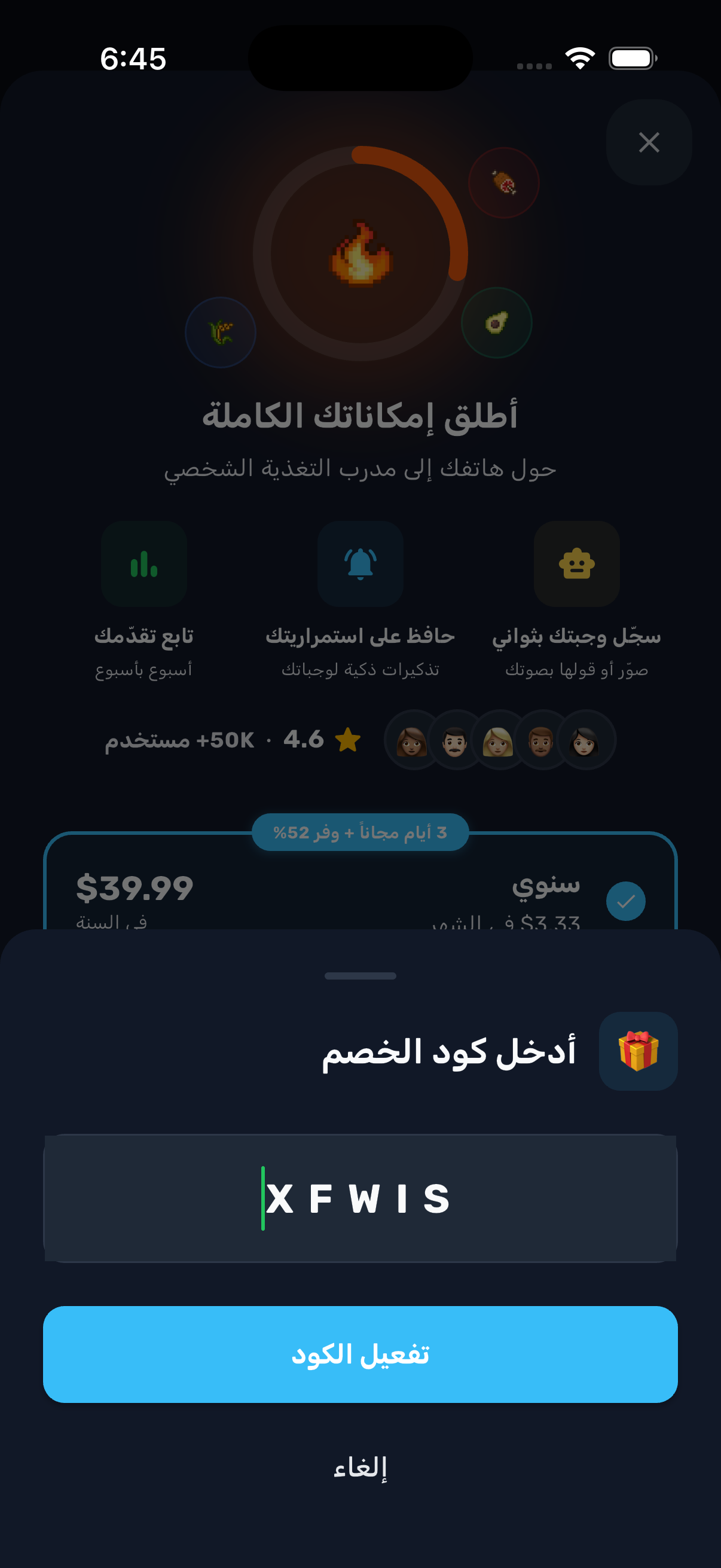
Paste your code and tap "Activate"
Your Pro subscription unlocks instantly.